
How MyEczema.app Works
MyEczema.app helps patients and caregivers better understand their eczema by bringing questions, daily symptoms, possible triggers, skin routines, photos, and personal patterns into one simple platform.
Eczema and atopic dermatitis are heterogeneous conditions influenced by many interacting factors, including skin barrier health, environment, weather, stress, sleep, irritants, allergens, routines, and individual biology. MyEczema.app uses advanced models and structured tracking tools developed to help users discover meaningful patterns, explore possible triggers, and manage their eczema journey with more clarity.
User Guides
This tutorial is divided into two parts. The first part is for patients and caregivers. The second part is for healthcare professionals who want to understand how patient-generated summaries, tracking data, and photo timelines can support clinical conversations.
Start from the first page
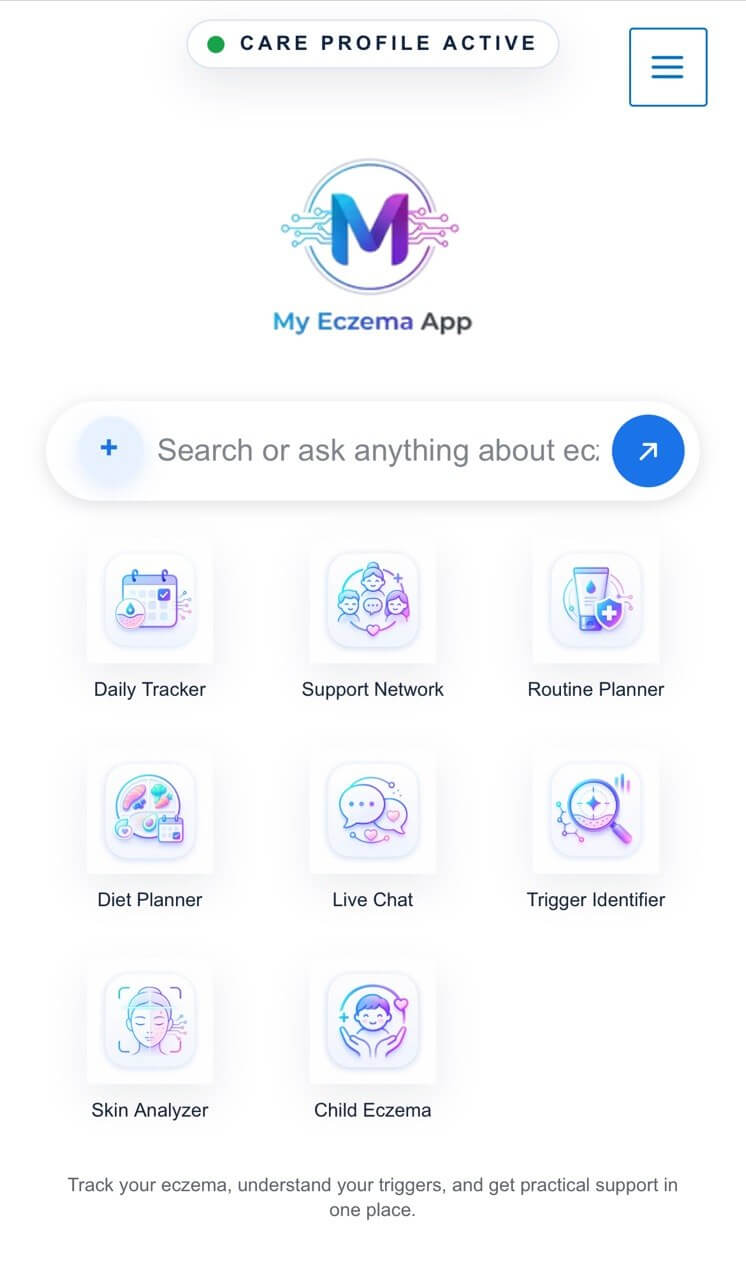
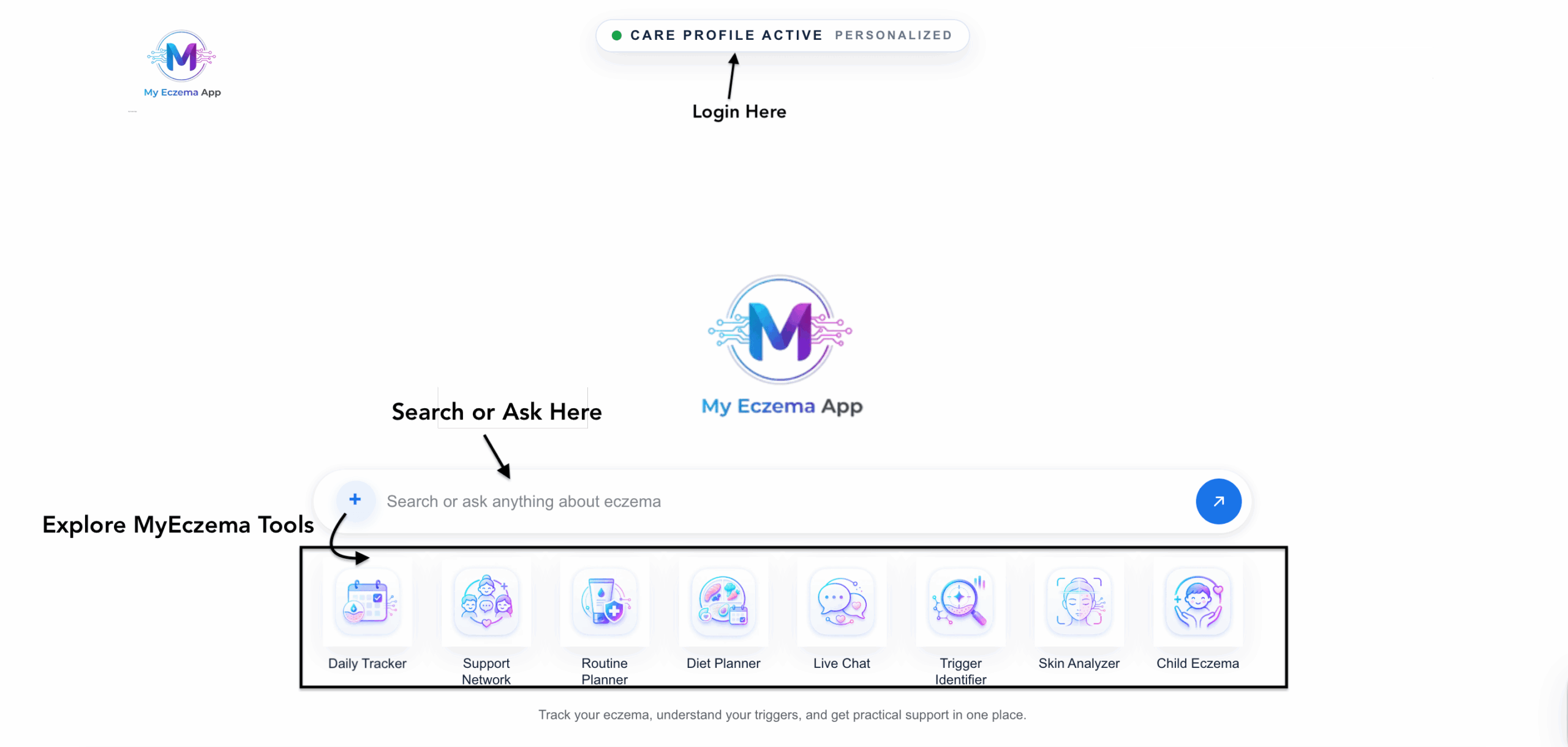
Users can begin by asking an eczema-related question or searching for educational content directly from the main search bar. They can also click the plus button on the left side of the bar to open MyEczema tools developed for different purposes, including tracking, routine planning, trigger identification, skin analysis, child eczema support, and more.
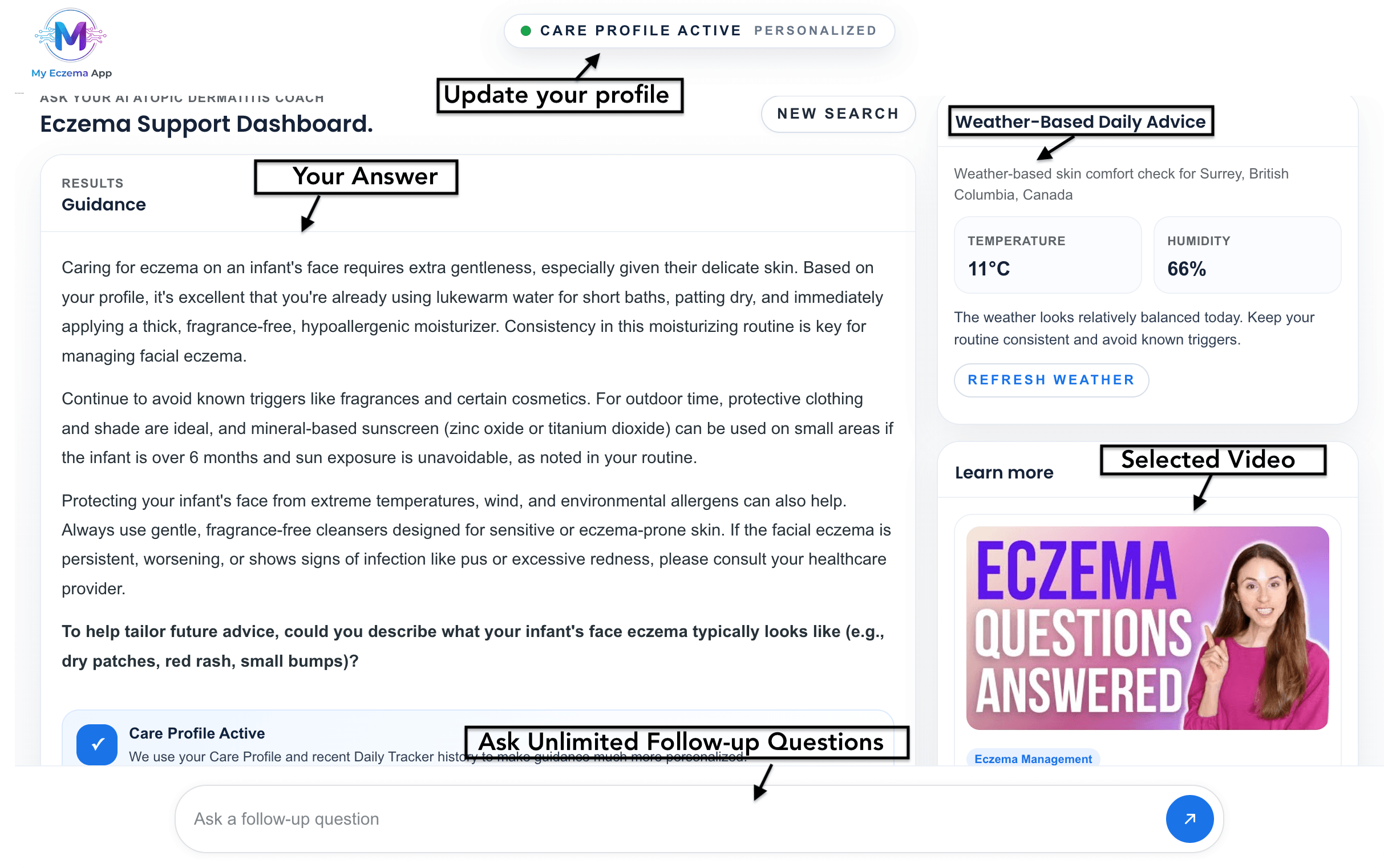
After a user asks a question or searches a topic, MyEczema.app opens a dashboard-style result page. This dashboard provides a clear answer, related educational content, relevant videos, and recommended tools. Users can continue the conversation by asking follow-up questions from the follow-up bar at the bottom of the screen.
For signed-in users, answers can become more personalized by using their saved Care Profile information and Daily Trigger Tracker history. This helps the platform provide more relevant guidance, save time, and make the support more precise for each user’s eczema pattern.
- Ask a question or search content
- Click the plus button to open tools
- Review answers, videos, and related tools
- Ask follow-up questions from any dashboard result
Use the Daily Trigger Tracker
The Daily Trigger Tracker is one of the most important parts of MyEczema.app. It helps users build a structured daily record of their eczema, including symptoms, skin routine, possible triggers, photos, notes, and how their day affected their skin.
Users can log information such as itch, dryness, flare level, affected areas, sleep, stress, weather-related changes, skincare routine, what helped that day, and suspected triggers. To make daily logging easier, users can also use voice-to-text notes instead of typing everything manually.
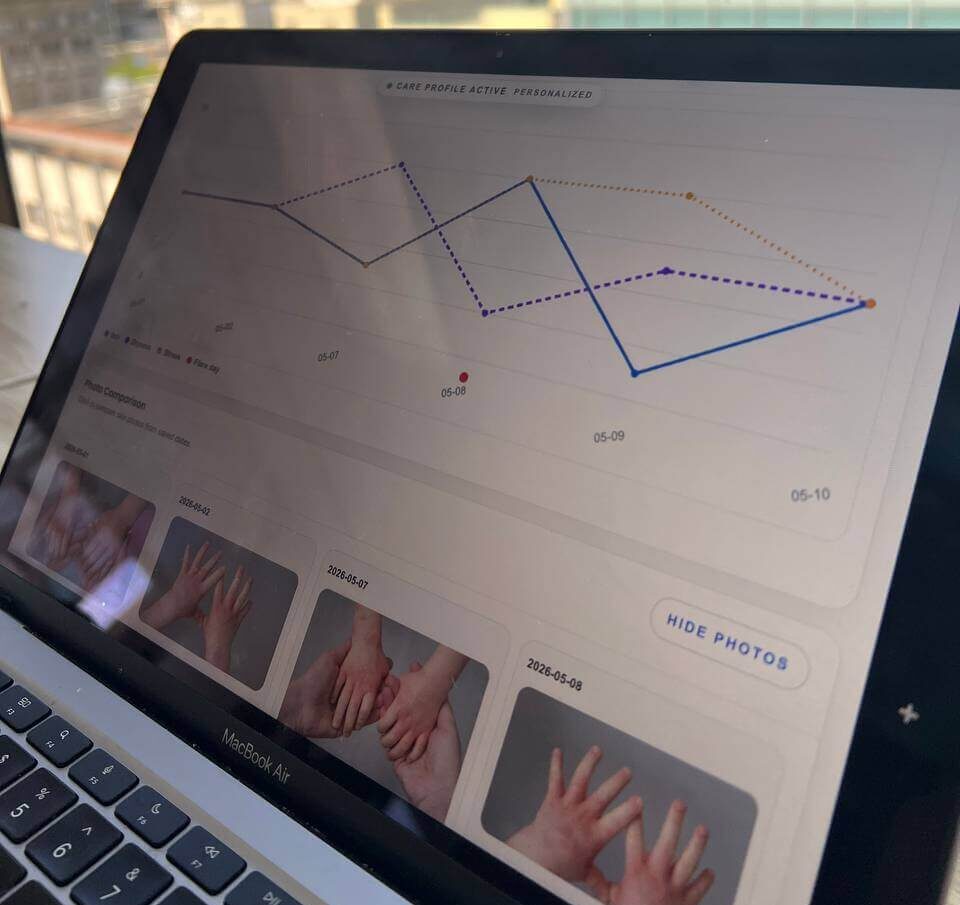
Over time, the tracker can display graphs, analytical views, and trend plots across different time ranges, such as 7-day, 30-day, and 90-day views. The analysis feature can use the logged data to identify meaningful patterns, possible trigger associations, and useful insights that may be difficult to notice from memory alone.
Users can also upload photos with daily entries, compare photos from different dates, review their history in a timeline, and generate a report that can be downloaded or emailed to a doctor or dermatologist before an appointment.
- Log symptoms, routine, triggers, and notes
- Use voice-to-text for faster daily entries
- View graphs and trends over time
- Compare photos from different dates
- Review history by timeline
- Download or email reports to a clinician

Create a Skincare Routine Plan
The Skincare Routine Planner helps users organize a practical morning and evening routine for eczema-prone skin. It can be used to think through moisturizers, bathing habits, product sensitivity, and daily routine steps.
- Enter routine goals
- Add skin concerns
- Generate a simple plan
- Save or review later

Explore Possible Flare Triggers
The Trigger Identifier helps users organize possible flare-related changes such as weather, stress, sweat, sleep, foods, skincare products, irritants, and environmental exposures.
- Add recent changes
- Review trigger categories
- Create a tracking plan
- Discuss patterns with a clinician

Use the Diet Planner Carefully
The Diet Planner helps users think about balanced meal ideas and possible food-related patterns without encouraging extreme restriction. It is best used as an organization tool, not as a replacement for medical or dietitian advice.
- Add food-related goals
- Note allergies or concerns
- Generate meal support ideas
- Track patterns over time

Compare Common Skin Patterns
The Skin Analyzer helps users compare common skin patterns that may look similar, such as eczema, psoriasis-like plaques, fungal irritation, rosacea-like redness, hives, or contact dermatitis. It is educational and does not diagnose.
- Describe the concern
- Add timing and symptoms
- Upload an optional image
- Review when to seek care

Use Child Eczema Support
The Child Eczema section is designed for parents and caregivers who want simple, supportive, educational answers about child eczema routines, itching, sleep, flare patterns, and daily care questions.
- Choose a child eczema topic
- Add helpful details
- Ask a practical question
- Save useful tips
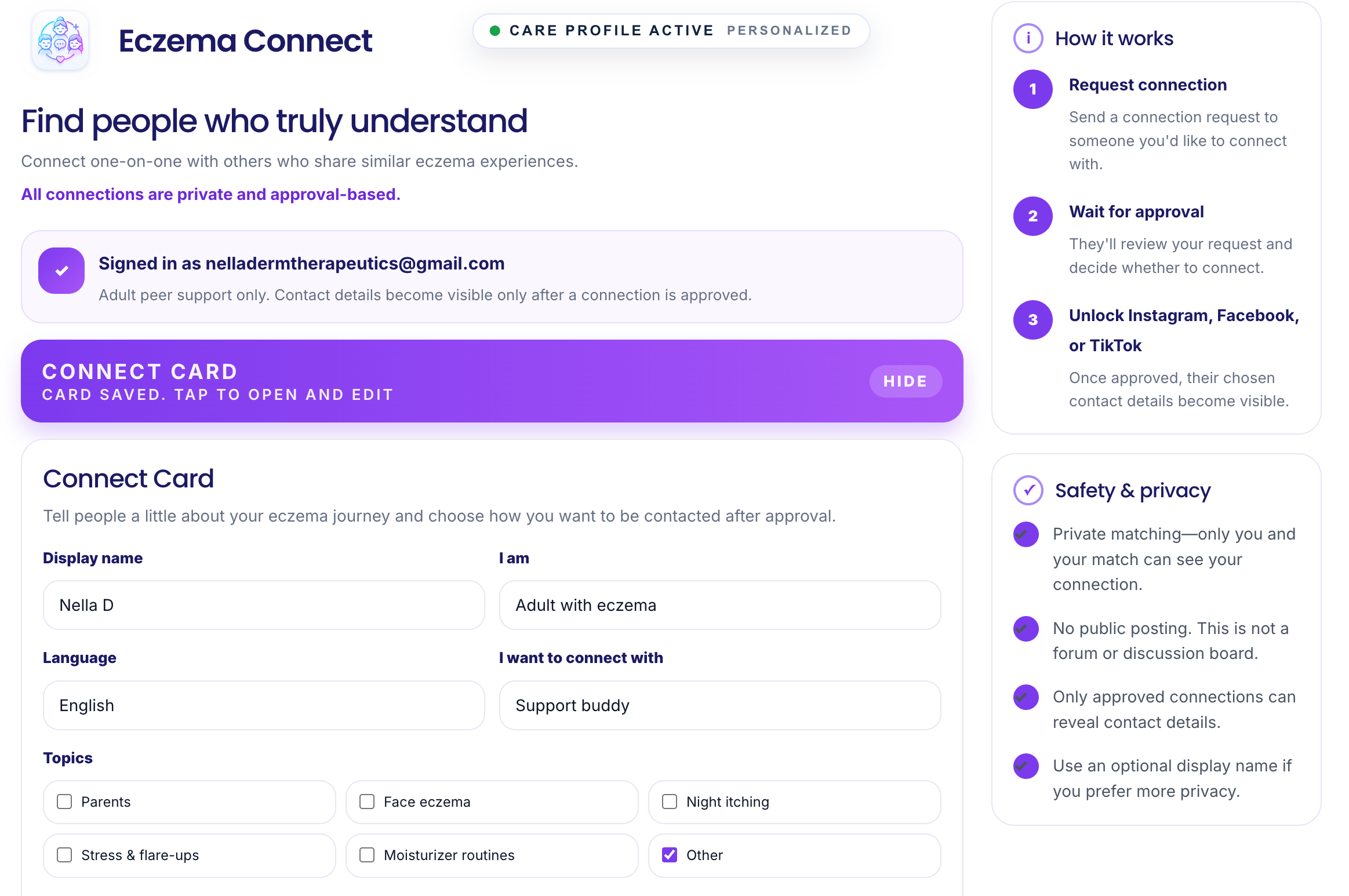
Connect With Other People
The Support Network helps people feel less alone by connecting with others who understand eczema. Users can create a simple card, review suggested matches, send a request, and choose what they feel comfortable sharing.
- Create a simple connect card
- Review recommended matches
- Send or accept requests
- Remove contacts when needed
Guide for Healthcare Professionals
MyEczema.app is designed as a science-based digital support platform for eczema and atopic dermatitis management. The platform helps patients structure real-world information about symptoms, flare patterns, routines, environmental factors, photos, and possible triggers so this information can be reviewed more clearly during healthcare visits.
The platform has been developed with a research-driven approach and collaboration across academic and technology ecosystems, including UBC, Harvard University, Stanford University, Google, and NellaDerm Therapeutics. Its goal is to make eczema management easier for patients while supporting more informed, data-organized conversations with doctors, dermatologists, and healthcare providers.
The algorithms behind MyEczema.app are designed to analyze user-entered longitudinal data, identify possible trends, and extract meaningful patterns from daily tracking information. This may include symptom variation, suspected trigger associations, skin routine changes, environmental context, photo timelines, and patient-reported outcomes. The platform does not replace clinical diagnosis or medical decision-making, but it can provide structured supportive information that may help clinicians understand the patient’s lived experience between visits.
Recent Peer-Reviewed Publications
MyEczema.app is aligned with the growing scientific literature on artificial intelligence, dermatology, and atopic dermatitis management.
- Razavi, H., et al. “The Role of Artificial Intelligence in Atopic Dermatitis Research and Management.” 2026.
- Emtenani, et al. AI-Powered Dermatology: Revolutionizing Skin Health Through Artificial Intelligence. Springer Nature, 2026.
Patient-generated data for better eczema conversations
Patients can use MyEczema.app to organize daily eczema information before appointments, including itch, dryness, flare severity, sleep impact, stress, skincare routine, suspected triggers, affected areas, notes, and optional skin photos.
The tracker can generate trend views, analytical summaries, history timelines, and photo comparisons that may help clinicians review the patient’s eczema course over time. Reports can be downloaded or emailed, allowing patients to share supportive information with a doctor or dermatologist before or during a visit.
For healthcare professionals, the platform can be useful as a patient engagement and visit-preparation tool. It may support discussion of atopic dermatitis heterogeneity, treatment adherence, environmental contributors, routine consistency, trigger hypotheses, and patient-reported outcome patterns.
- Structured daily symptom history
- Trigger and routine tracking
- Photo comparison across dates
- Downloadable or shareable reports
Start with one simple action
New users do not need to use every feature immediately. The best starting point is to ask one question on the first page, then begin using the Daily Trigger Tracker to build a clearer picture over time.